
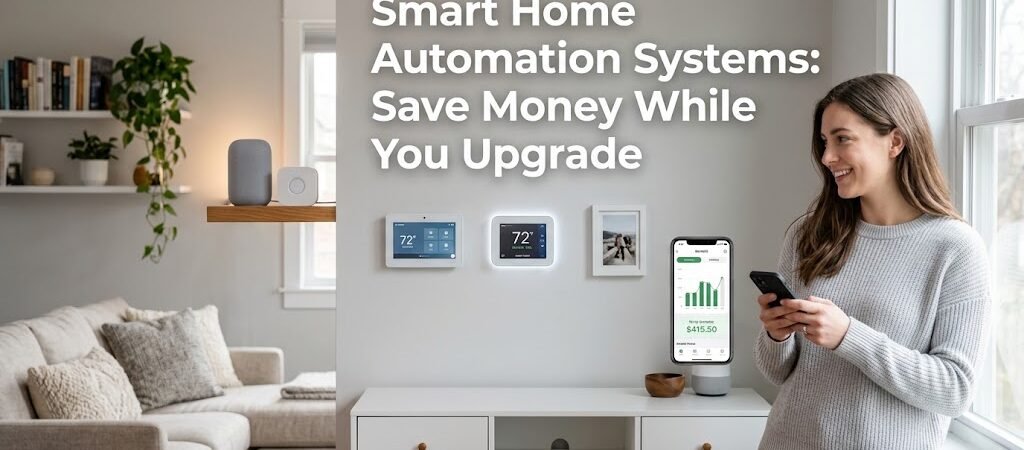
Smart home automation systems can reduce your annual energy costs by 15–30%, according to EPA estimates, while adding measurable resale value. The key is starting with high-ROI devices like smart thermostats and LED lighting before expanding into full-home integration.
The U.S. smart home market hit $113 billion in 2024 and is projected to cross $250 billion by 2028. That growth isn’t just hype—it’s driven by homeowners who realized their energy bills were bleeding money and found a fix. You’re probably one of them, or at least considering it.
Here’s the honest truth: most people overspend on smart home automation. They buy into ecosystem lock-in, chase every new gadget, and install devices that solve problems they don’t actually have. This guide exists to help you avoid those traps. You’ll learn exactly which smart home automation systems deliver real savings, where to spend wisely, and how to phase your build so you’re never stuck with dead tech.
Which Smart Home Automation Systems Actually Save You Money?
Not every connected device earns its keep. Some are novelty purchases disguised as upgrades. Others quietly cut your monthly expenses by double digits. The difference comes down to whether a device controls something that draws significant energy—or just something that looks cool.
Let’s look at the devices that move the needle on your utility bill.
Smart Thermostats: The Highest-ROI Entry Point
A smart thermostat like the Ecobee SmartThermostat or Google Nest Learning Thermostat typically costs between $180 and $250. The payback period? Usually 6 to 14 months based on average U.S. heating and cooling costs.
Here’s why they work so well: your HVAC system accounts for roughly 48% of your average home’s energy use, according to the U.S. Department of Energy. That means any optimization here ripples through your entire bill. Smart thermostats learn your schedule, detect occupancy, and adjust temperature automatically. They also offer remote access, which means no more coming home to a house that’s been heating or cooling empty for eight hours.
The Ecobee model includes room sensors that track temperature in multiple zones. That’s a practical advantage over the Nest, which relies primarily on the thermostat’s own location. If you have a two-story home or rooms that run hot and cold, the Ecobee’s multi-room approach can shave an additional 5–10% off your HVAC costs.
One insight most guides miss: smart thermostats often qualify for utility rebates. Check with your local electric or gas provider—you might get $50 to $100 back just for installing an Energy Star-certified smart thermostat. That rebate effectively drops your upfront cost and shortens your payback period even further.
Smart Lighting: Small Savings, Big Scale
Smart bulbs and switches range from $12 to $40 per unit. A typical 3-bedroom home uses 30–50 light fixtures. That sounds expensive until you factor in two compounding savings: LED efficiency and automated shutoff.
Standard incandescent bulbs waste 90% of their energy as heat. Even a basic CFL wastes about 75%. An LED smart bulb uses roughly 8–12 watts to produce the same light output as a 60-watt incandescent. Replace your 40 most-used bulbs with smart LEDs, and you’re looking at $150–$250 in annual energy savings before you even count the automation benefits.
The automation piece is where it gets interesting. Motion sensors and geofencing ensure lights turn off when rooms are empty. For a home office or a frequently used guest bedroom, this alone can eliminate 20–30% of lighting waste. That’s not theoretical—EPA modeling shows smart lighting controls reduce residential lighting energy use by an average of 25%.
Here’s a practical tip most people overlook: consider smart switches over smart bulbs for high-traffic areas. A Lutron Caseta switch costs about $40–$50 per channel but works with any standard bulb. You get the automation without replacing every bulb in your house. For a whole-home approach, smart switches scale more affordably than individual smart bulbs.
Smart Plugs and Power Strips: The Hidden Energy Drain Fix
Vampire power—energy drawn by devices in standby mode—accounts for 5–10% of residential electricity use. That’s $50 to $100 a year for the average household, money disappearing into electronics that appear to be off.
Smart plugs solve this by cutting power completely on a schedule or when a room is unoccupied. A basic smart plug runs $10–$20. A 4-outlet smart power strip goes for $25–$40. The devices most guilty of vampire draw include game consoles, entertainment centers, coffee makers, and desktop computers.
Set your entertainment center smart strip to cut power at 11 PM and restore it at 7 AM. Your TV, soundbar, and streaming devices will draw zero standby power overnight. Do this consistently, and you’re saving roughly $15–$30 annually per smart plug—enough to make a $15 investment pay for itself in under a year.
How Much Does a Full Smart Home Automation System Cost?
Cost is the biggest barrier for most homeowners, and for good reason. The price range is enormous—from $500 for a starter setup to $15,000+ for a professionally installed whole-home system. Understanding where you fall depends on three variables: scope, integration depth, and whether you DIY or hire help.
| System Level | Typical Cost Range | What’s Included | Best For |
|---|---|---|---|
| Starter (3–5 devices) | $300 – $800 | Smart thermostat, 5–10 bulbs, 2–3 plugs, hub | Renting or testing the waters |
| Mid-Range (10–20 devices) | $1,000 – $3,500 | Full lighting automation, climate zones, security cameras, smart locks | Single-family homeowners |
| Whole-Home (25+ devices) | $4,000 – $12,000+ | Multi-zone climate, integrated security, motorized shades, whole-home audio, professional installation | New construction or major renovation |
The mid-range tier is where most homeowners land, and it’s also where you get the best value. A $2,000–$3,000 investment typically covers a fully automated living space with lighting, climate, security, and basic voice control. That system should save you $400–$900 annually in energy costs, meaning full payback within 2–4 years.
Professional installation adds $500–$2,500 depending on complexity. For a mid-range DIY setup, you can absolutely skip the pro. The devices themselves are designed for homeowner installation—most require only a screwdriver and a smartphone app. The only exception is hardwired smart switches and thermostats, which need basic electrical knowledge. If you’re uncomfortable working with your home’s electrical panel, hire an electrician for those specific tasks only. You don’t need a full smart home installer.
Here’s something most cost calculators don’t mention: your existing home infrastructure matters. Homes built after 2015 typically have better Wi-Fi coverage and pre-wired smart-home-ready features like low-voltage conduit. Older homes may need mesh Wi-Fi extenders ($100–$300) or a dedicated hub to maintain reliable device connectivity. Factor this into your budget before you start shopping.
Smart Home Automation Cost: Where to Cut Without Cutting Corners
Building a smart home doesn’t require a luxury budget. The trick is prioritizing devices by savings potential rather than novelty factor. Here’s how to allocate your dollars strategically.
Phase Your Investment
Don’t buy everything at once. Phase your rollout over 12–18 months, starting with the highest-ROI devices and adding complexity as your comfort level grows. This approach also lets you spread costs across multiple budget cycles and take advantage of sales events.
Phase 1 (Months 1–3): Smart thermostat and 5–10 smart bulbs. Budget: $400–$700. Expected annual savings: $200–$350.
Phase 2 (Months 4–6): Smart plugs for entertainment centers and offices, motion-sensor lights in high-traffic areas. Budget: $150–$300. Expected annual savings: $75–$150.
Phase 3 (Months 7–12): Smart locks, security cameras, and possibly a smart speaker system. Budget: $400–$1,200. Expected annual savings: $50–$100 (security value beyond energy savings).
Phase 4 (Year 2+): Motorized shades, whole-home audio, advanced automation routines. Budget: $500–$2,000. Expected annual savings: $100–$250.
Choose Your Ecosystem Wisely
Ecosystem lock-in is a real cost trap. If you commit to Amazon Alexa devices, you’ll find the best deals and widest selection within that ecosystem. But you’ll also pay a premium for compatibility with other platforms. Google Home and Apple HomeKit offer different trade-offs.
For maximum flexibility and cost savings, prioritize Matter-compatible devices. Matter is an open-source smart home standard backed by Apple, Google, Amazon, and Samsung. A Matter-certified device works across all major platforms, which means you’re never locked into one ecosystem and can shop for the best price regardless of your primary assistant.
As of 2024, over 300 Matter-certified products are available, covering thermostats, lighting, locks, and sensors. The selection grows monthly. If you’re building a system from scratch today, Matter compatibility should be your default requirement—not an afterthought.
Buy During Sales, Not at Full Price
Smart home device prices fluctuate significantly throughout the year. Black Friday and Cyber Monday typically offer 20–40% discounts on major brands. Amazon Prime Day (July) and Best Buy’s open-box deals can drop prices on smart thermostats and lighting bundles by another 15–25%.
A $250 Nest Learning Thermostat regularly goes for $180 during spring energy-efficiency promotions. That $70 difference is the gap between a 14-month payback and a 9-month payback. Timing your purchases matters more than most homeowners realize.
What’s the Real ROI of Smart Home Automation?
Return on investment depends on your local energy rates, climate, and how aggressively you automate. Let’s walk through a realistic scenario for a typical 2,000-square-foot home in a moderate climate.
Annual energy costs before automation: approximately $2,400 (heating, cooling, lighting, and standby power). After a mid-range smart home setup, that drops to roughly $1,680—a savings of $720 annually. Over a 10-year ownership period, that’s $7,200 in cumulative savings against an initial investment of $2,500. Your net gain: $4,700, not counting property value increases.
Property value is the second revenue stream. Zillow research found that homes with smart home features sold for 2.3% to 5.5% more than comparable homes without them. On a $400,000 home, that’s $9,200 to $22,000 in additional equity. The premium is strongest in markets where buyers are tech-savvy and younger—typically urban and suburban areas with populations under 45.
But here’s the nuance most ROI calculators ignore: the value depends on system maturity. A well-maintained, updated smart home system adds value. An outdated system with incompatible devices and deprecated hubs can actually deter buyers. Always upgrade or replace aging components before selling. A $200 smart thermostat replacement is cheaper than a $5,000 price negotiation after a home inspection reveals obsolete automation.
For a more detailed breakdown of how smart home technologies impact energy consumption, the Energy.gov energy efficiency guide provides useful benchmarks for federal tax credit eligibility on qualifying smart home upgrades.
Common Smart Home Automation Mistakes That Cost You Money
Avoiding pitfalls is just as important as choosing the right devices. Here are the most expensive mistakes homeowners make when building their first smart home.
Buying devices before confirming Wi-Fi coverage. Smart devices are useless if they can’t maintain a connection. Dead zones in your home will cause devices to go offline, trigger false alerts, and fail to automate properly. Test your Wi-Fi signal in every room where you plan to install devices before making a single purchase. A $150 mesh network system can prevent $500+ in returned or unused devices.
Ignoring hub compatibility. Not all devices talk to all hubs. Zigbee devices need a Zigbee-compatible hub. Z-Wave devices need Z-Wave. Wi-Fi devices connect directly but can congest your network. Mixing protocols without a unified hub creates fragmentation and limits your automation routines. Stick to one primary protocol per device category, or invest in a hub like Hubitat or Home Assistant that bridges multiple protocols.
Over-automating before understanding your routines. The biggest waste in smart home spending is automating the wrong behaviors. Set up manual schedules for two weeks first. Track when you actually turn lights on and off, when you adjust the thermostat, and which rooms are empty most often. Then automate those patterns. Blindly automating everything on day one usually means you’re automating habits you don’t actually have.
Chasing features you’ll never use. A smart refrigerator with a touchscreen costs $2,000–$4,000 more than a comparable model without one. The touchscreen is rarely used and becomes obsolete within three years. A smart trash can with auto-sealing costs $300–$500 and solves a problem most people don’t have. Spend on infrastructure—thermostats, lighting, security, network—before spending on gadgets that add novelty without utility.
Building Your Smart Home on a Budget: Practical Tips
You don’t need thousands of dollars to start. Here are specific, actionable ways to build a capable smart home without overspending.
Start with what you own. Many people already have smart devices they’re not using to their full potential. Check your phone for existing apps—your smart TV, streaming stick, or even some LED bulbs may already be controllable. Before buying new hardware, audit what you have and what it can already do.
Prioritize devices with manual overrides. A smart blind that breaks and costs $200 to replace is a financial hit. A smart blind with a manual pull-cord backup is a $200 investment that lasts. Always choose devices that remain functional even if the smart feature fails. This applies to smart locks, garage door openers, and irrigation controllers especially.
Buy bundles, not singles. Smart lighting brands like Philips Hue, LIFX, and Sengled offer starter kits with hubs, multiple bulbs, and a dimmer switch for $80–$150. Buying those same components individually costs 30–50% more. The same applies to smart plug packs—4-packs are almost always cheaper per unit than buying singles.
Use your smartphone as a hub before buying a dedicated one. Google Home, Amazon Alexa, and Apple Home all support device management through your phone. A dedicated hub like Samsung SmartThings or Hubitat adds automation depth and local processing, but it’s a luxury—not a necessity—for basic smart home functionality.
Watch for utility company programs. Many electric and gas utilities offer free or heavily discounted smart thermostats, energy monitors, and sometimes even smart plugs to customers who enroll in their demand-response programs. These programs pay you to reduce usage during peak hours. The devices are often free, and the bill credits can total $100–$300 annually. Check with your provider before buying anything.
Smart Home Automation Systems FAQ
How long does a smart home system last?
Hardware typically lasts 5–10 years. Smart bulbs average 25,000 hours (about 22 years at 3 hours daily use). Smart thermostats average 10 years. The real limitation is software support—most hubs receive 3–5 years of updates before being deprecated. Choose ecosystems with long-term support commitments, and plan to refresh your hub every 5–7 years rather than replacing every device.
Can I install smart home devices myself?
Yes, for 80% of devices. Smart plugs, bulbs, and battery-powered sensors require zero installation. Smart switches and thermostats require basic electrical work—turning off the breaker, swapping a faceplate, and connecting 2–4 wires. If you can follow a YouTube tutorial, you can install them. Hardwired security cameras and whole-home audio may require professional help, especially if you’re running new cables through walls.
Do smart homes increase property value?
Yes, but modestly. Studies show a 2.3%–5.5% premium on homes with smart features. The increase is strongest in markets with younger buyers and weaker in markets where buyers prioritize square footage and location over technology. A well-maintained system adds value. An outdated, fragmented system may not.
What’s the cheapest way to start automating my home?
One smart plug ($10–$15) and one smart bulb ($12–$20). Plug a lamp into the smart plug and set a schedule. Replace your most-used overhead bulb with a smart bulb and set it to dim at bedtime. That $25–$35 investment teaches you the automation workflow. If you like it, expand from there. Don’t buy a hub or a full system until you’ve confirmed you’ll actually use the features.
Will smart home devices work during a power outage?
Most won’t. Smart devices require power and Wi-Fi. If your router loses power, everything connected to it goes offline. Battery-backed smart plugs and devices with cellular failover exist but are niche products. A UPS for your router and modem ($50–$150) keeps your smart home alive during short outages. For longer outages, assume your automation is offline and plan for manual backups.
Is there a tax credit for smart home upgrades?
Some smart home devices qualify under the Residential Clean Energy Credit. Energy-efficient smart thermostats, heat pump water heaters, and certain smart HVAC controls may qualify for a 30% tax credit up to $500 annually through 2032, per IRS guidelines. Check current eligibility on IRS.gov before purchasing, as qualifying product lists change annually.
Your Smart Home Action Checklist
Before you buy a single device, run through this checklist. It’ll save you money, prevent buyer’s remorse, and ensure your system actually works for your life—not the other way around.
- Audit your current energy waste: Pull your last 12 months of utility bills. Identify your highest-cost months and which systems (heating, cooling, lighting) drive those costs. Your automation plan should target your biggest expense first.
- Test Wi-Fi coverage in every room: Use a free app like WiFi Analyzer or AirPort Utility to map signal strength. Note dead zones before buying devices that will sit in them.
- Choose your primary ecosystem: Pick one—Amazon Alexa, Google Home, or Apple Home—based on what you already own. Don’t mix ecosystems until you understand the friction it creates.
- Check utility rebate programs: Call your electric and gas providers. Ask about free or discounted smart thermostats, energy monitors, and demand-response incentives. This can eliminate your first purchase cost entirely.
- Phase your purchases: Start with a smart thermostat and 3–5 smart bulbs. Live with them for 30 days. Add smart plugs and lighting automation in month 2. Add security and locks in month 3–4. Don’t rush it.
- Prioritize Matter compatibility: When buying new devices, check for the Matter certification logo. It future-proofs your investment and gives you platform flexibility.
- Set a total budget and track spending: Decide your maximum first-year investment before you shop. Track every purchase against that number. If you hit the cap, wait for sales or phase the remaining devices into next year.
- Plan for maintenance: Set calendar reminders to update device firmware quarterly. Replace smart bulb batteries annually. Review automation routines every 6 months and prune anything you never use.
Smart home automation systems aren’t about having the coolest gadgets. They’re about taking control of your energy costs, your time, and your home’s efficiency—with technology that works quietly in the background. Start small, phase strategically, and let the savings compound. Your future self will thank you when that first utility bill arrives and it’s noticeably lower than last year’s.